
App Developement
Android Development with ID Tech
My Role
UX/UI designer
Project Manager
Frontend Developer
Project Timeline
October 2024 -
March 2025
(7 months)
Tools Utilized
Figma, Android Studio,
Lucid Chart, JIRA
Result
3 Completed Android Applications for Industry Demos
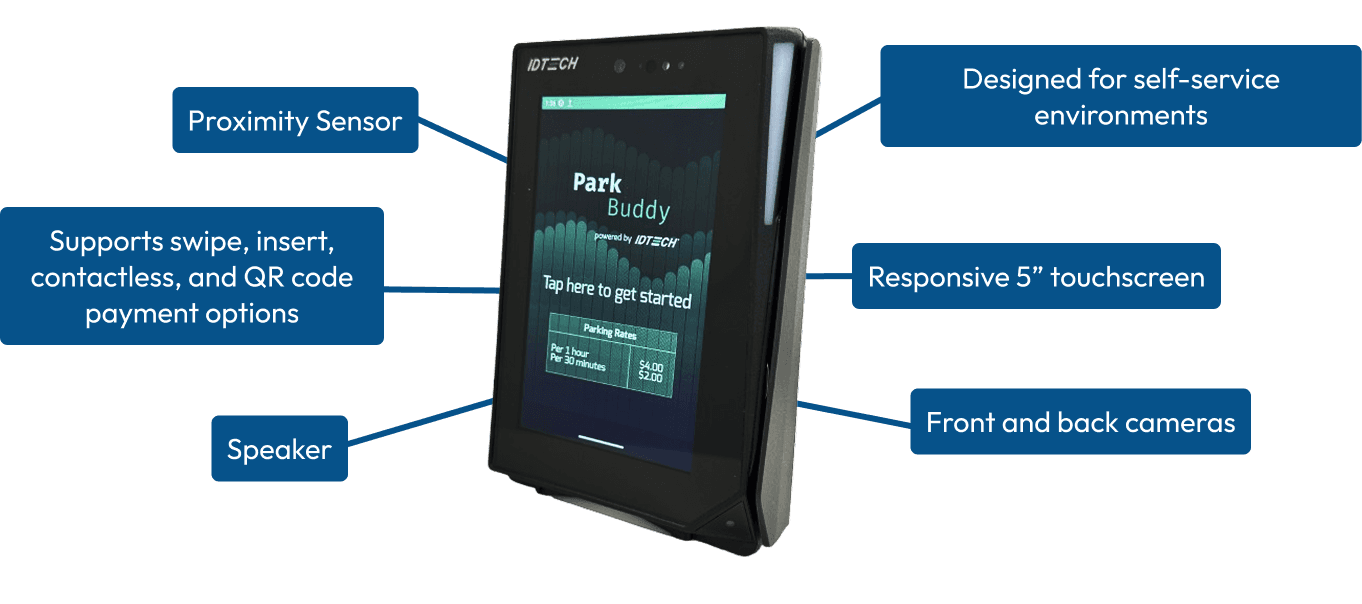
The new AP6800
ID Tech’s first Android OS Payment Terminal
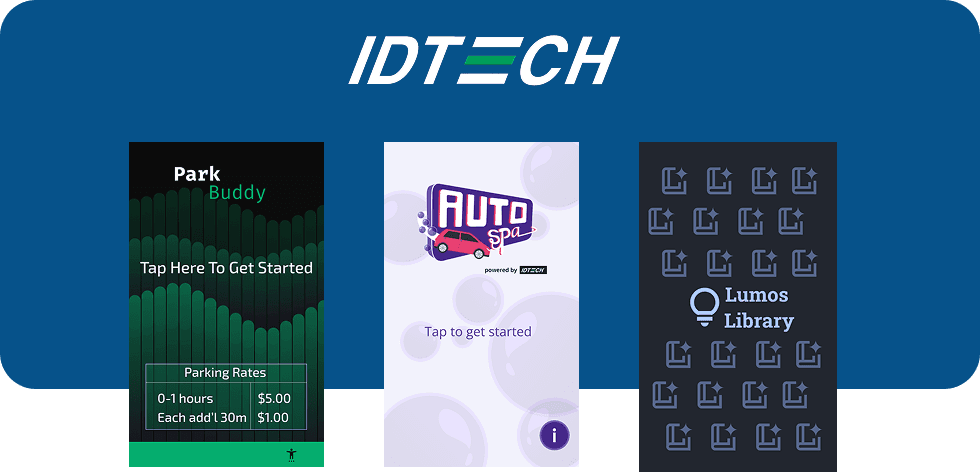
ID Tech tasked our team of six with creating 3 demo applications for their newly developed AP6800. With growing client demand for an Android terminal with internet capabilities, ID Tech created the AP6800.
Rationale
What did we find?
Global contactless payment market projected to grow by
19.1%
by 2030
Unattended payment market to hit
$100b
by 2025
43%
of consumers prefer to use self-checkout
Market Research
Existing parking lot payment terminals
After going around to various parking lots, we recognized the importance of a straightforward, minimal interface to enable quick transactions.
The first vertical
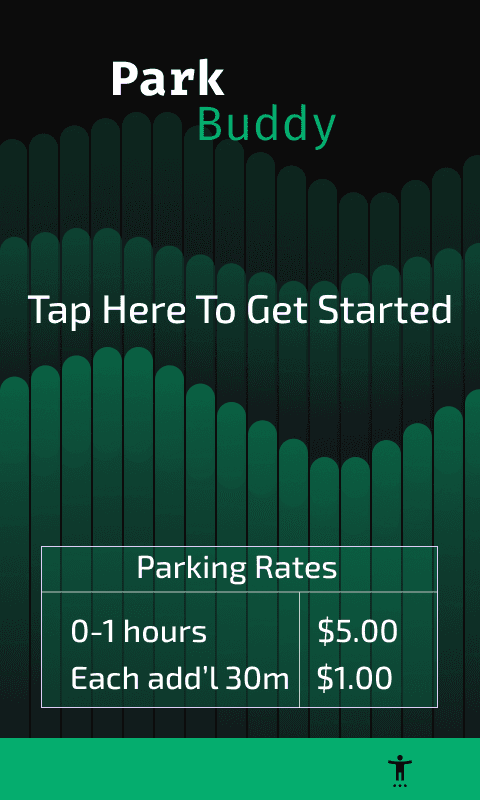
First design iteration of Park Buddy
Through weekly meetings with ID Tech’s engineers and project managers, we received timely feedback that helped shape our designs.
Mid Fidelity Protoype Screens
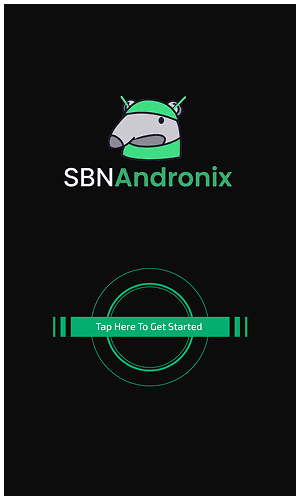
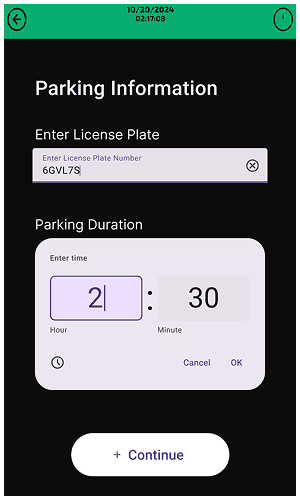
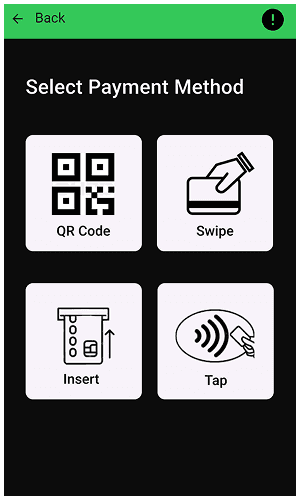

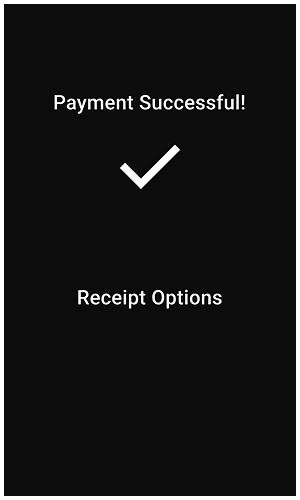
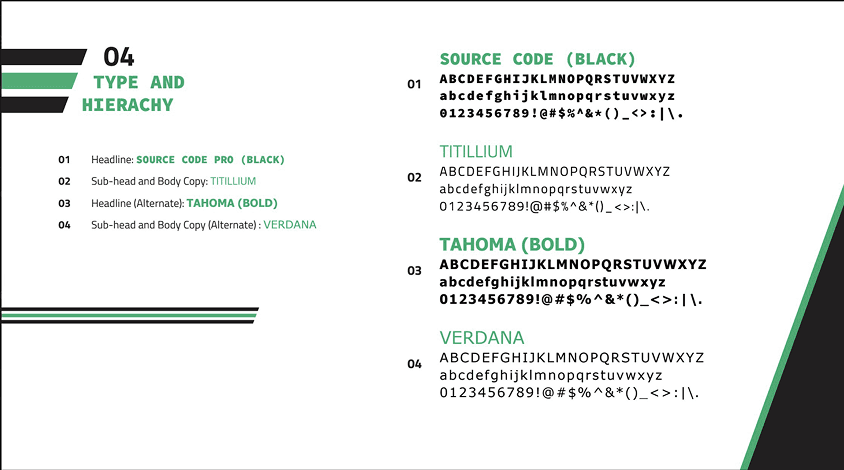
We were also asked to align the UI with ID Tech’s official branding to ensure the apps looked and felt like they were developed in-house.
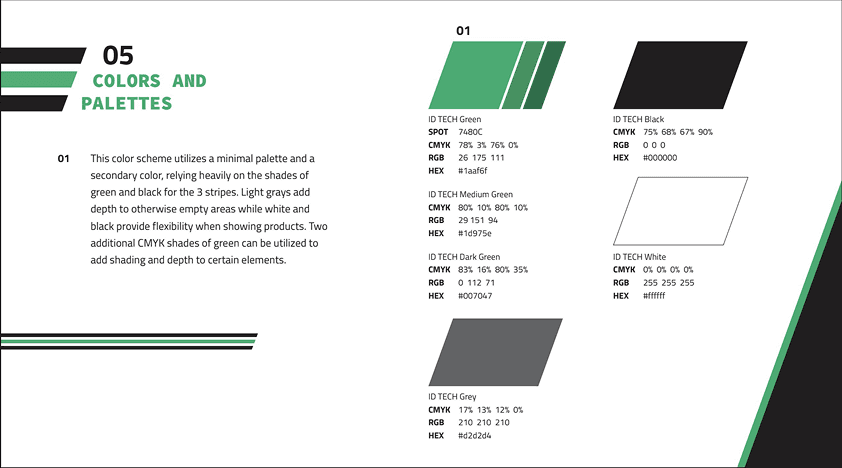
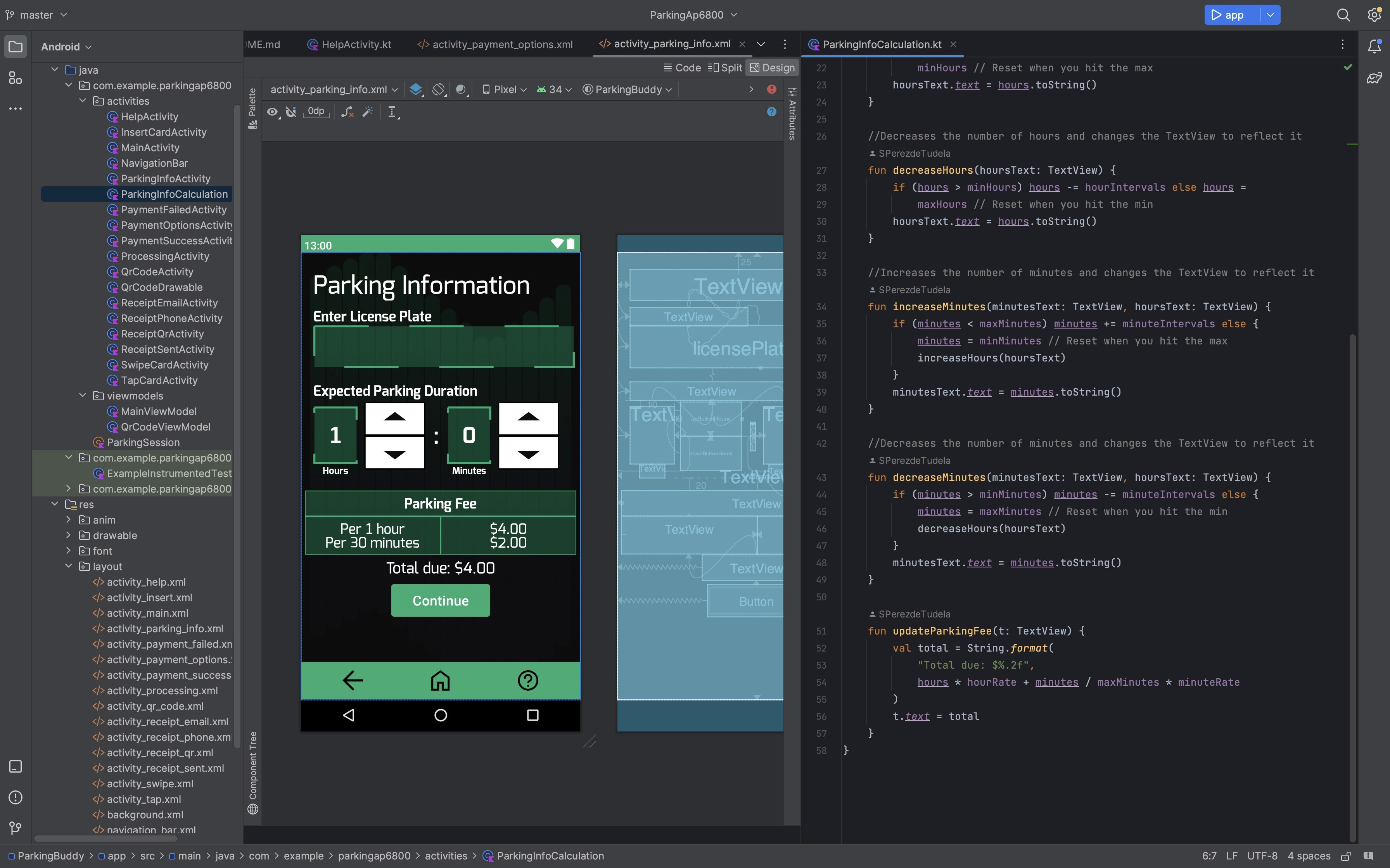
Final Iteration of Park Buddy

We developed the application using Kotlin and XML in Android Studio while integrating the ID Tech zSDK for the backend
Figma Demo
AP6800 Demo
The second vertical
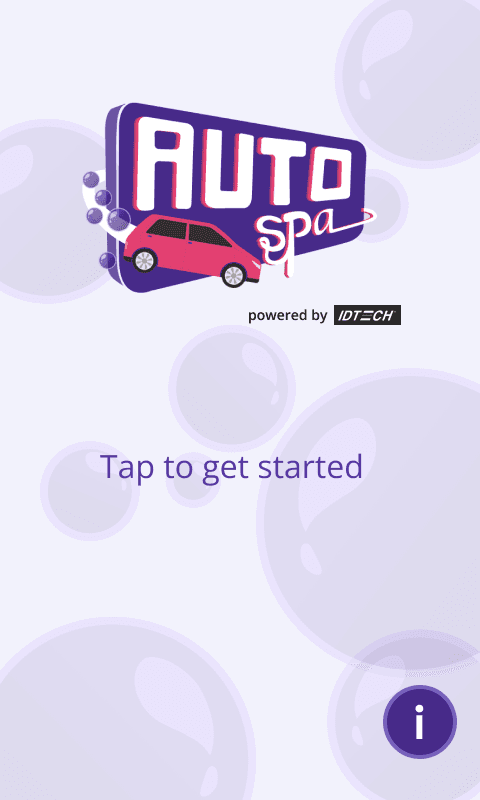
Progressive Disclosure for the Car Wash vertical
The second vertical is essentially an iteration of the previous one. I decided to take this vertical in a more fun direction visually with animations and speaker usage to showcase the graphics processing power of the AP6800.
To avoid overwhelming users with information, I used a scrollable carousel to display the tiers of wash packages.
I added a car-icon progress tracker to show all four steps in the flow, giving users clear orientation and reducing uncertainty about where they were and what remained.
Final Demo of Auto Spa
The last vertical
Lumos Library - a different approach to the landing page
While at a FedEx self-service kiosk, I witnessed an older woman struggling to start the machine due to unclear instructions and limited visibility
Instead of a traditional “Tap to Start” screen, I leveraged the AP6800’s proximity sensor to create a more accessible interaction. As a user approaches, the device automatically transitions to the home screen with a light-up effect—eliminating the need for unclear or small on-screen instructions and making the experience more intuitive for all users.
User Testing with the first iteration
Before
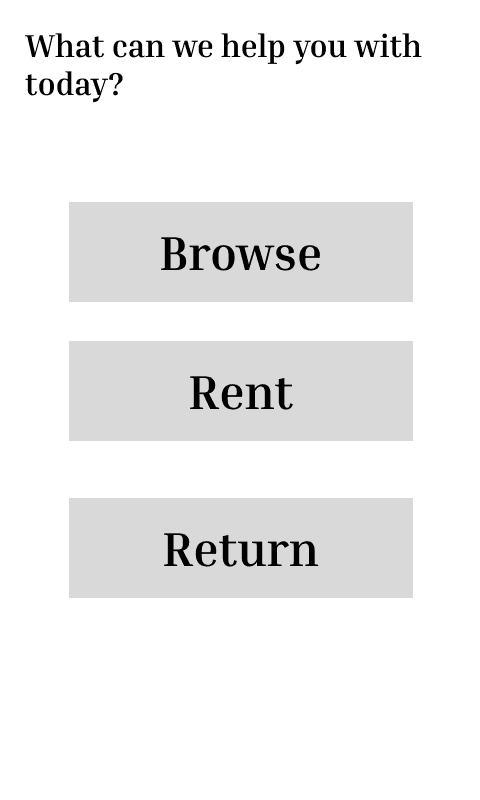
Initially, the app featured a landing page with three options: Browse, Rent, and Return.
After some user testing on our prototype we found that users had to return to the home screen for each new action, disrupting workflow. We were made aware that this landing page was essentially a navigation bar disguised as an entire screen—an inefficient design choice.
After
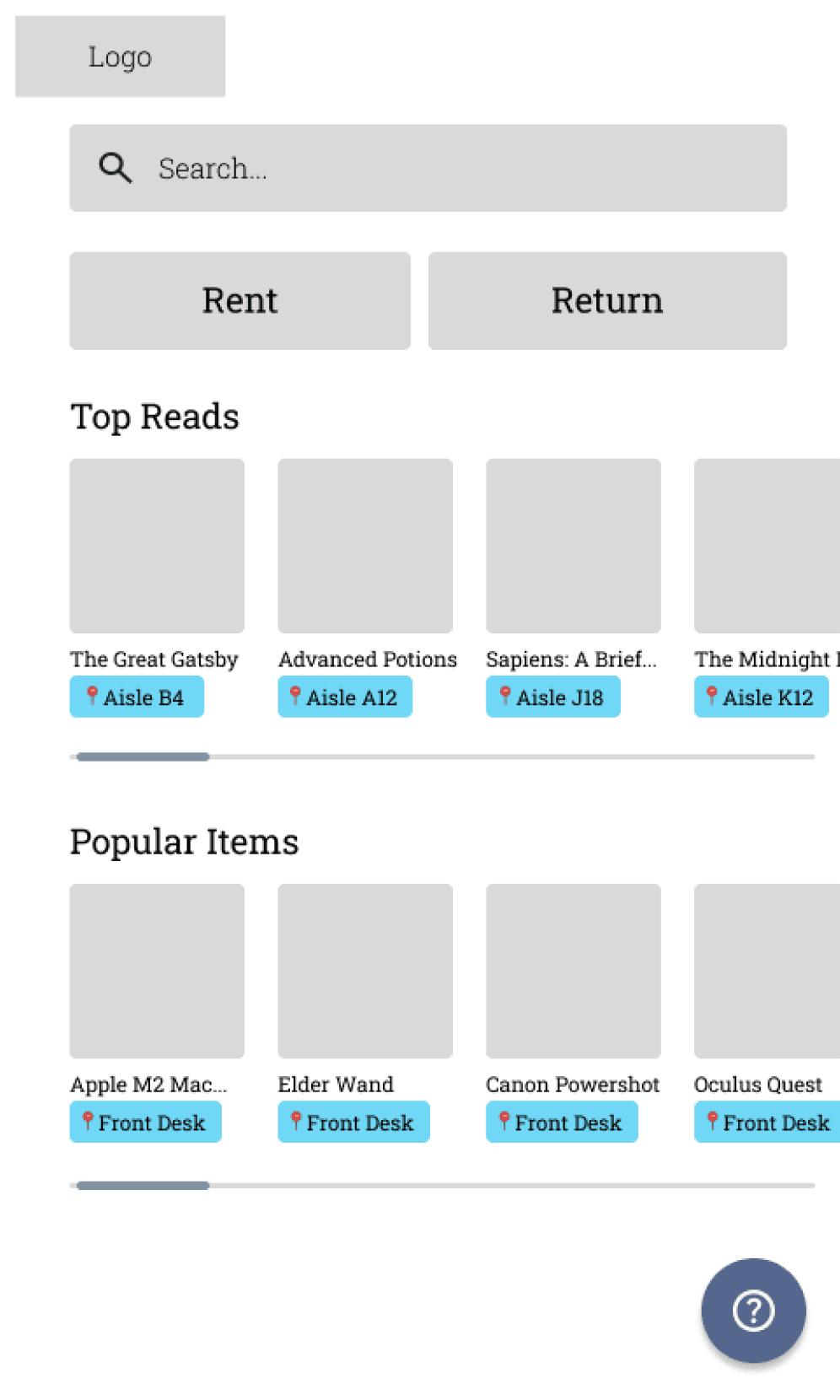
We redesigned the landing page to feature a search bar as the primary entry point, with prominent Rent and Return buttons for quick access.
Usability testing at the UCI Library with randomly selected patrons confirmed that users preferred this updated flow over the original version.
The final product
The Final Demo of Lumos Library
The biggest challenge with the library vertical was aligning the team on a clear scope. A “payment app for a library” can mean many things
Is it just for renting and returning items
Should it handle late fees, and if so, how?
Can users browse the catalog or locate books within the library?
These open-ended questions led to a lot of back-and-forth early on, as we worked to define a focused, realistic MVP that balanced user needs with technical feasibility.
Some last words
Next Steps
Improve Accessibility
Add screen reader support and implement text to speech for the keyboard
Improve Lumos Library
Replace the small bottom-right icon with a more intuitive interaction: tapping the entire card expands it for more details.
Integrate Insert API
Currently simulating insert payments due to a broken API; plan to implement real functionality once ID Tech resolves the issue.
Key Achievements
Successfully designed and developed three fully functional apps, each tailored to a specific market vertical. All of which have been deployed on the device with an approval from ID Tech
I took the lead in stakeholder communication, acting as the primary point of contact in meetings, aligning the team with sponsor expectations, and translating feedback into actionable design and development decisions.
Balancing UX research, UI design, and frontend development pushed me to become more adaptable—switching between high-level design thinking and hands-on coding problem-solving.